



Valve’s Steam Machine: A Deep Dive into Pricing, Specs, and the Lottery System
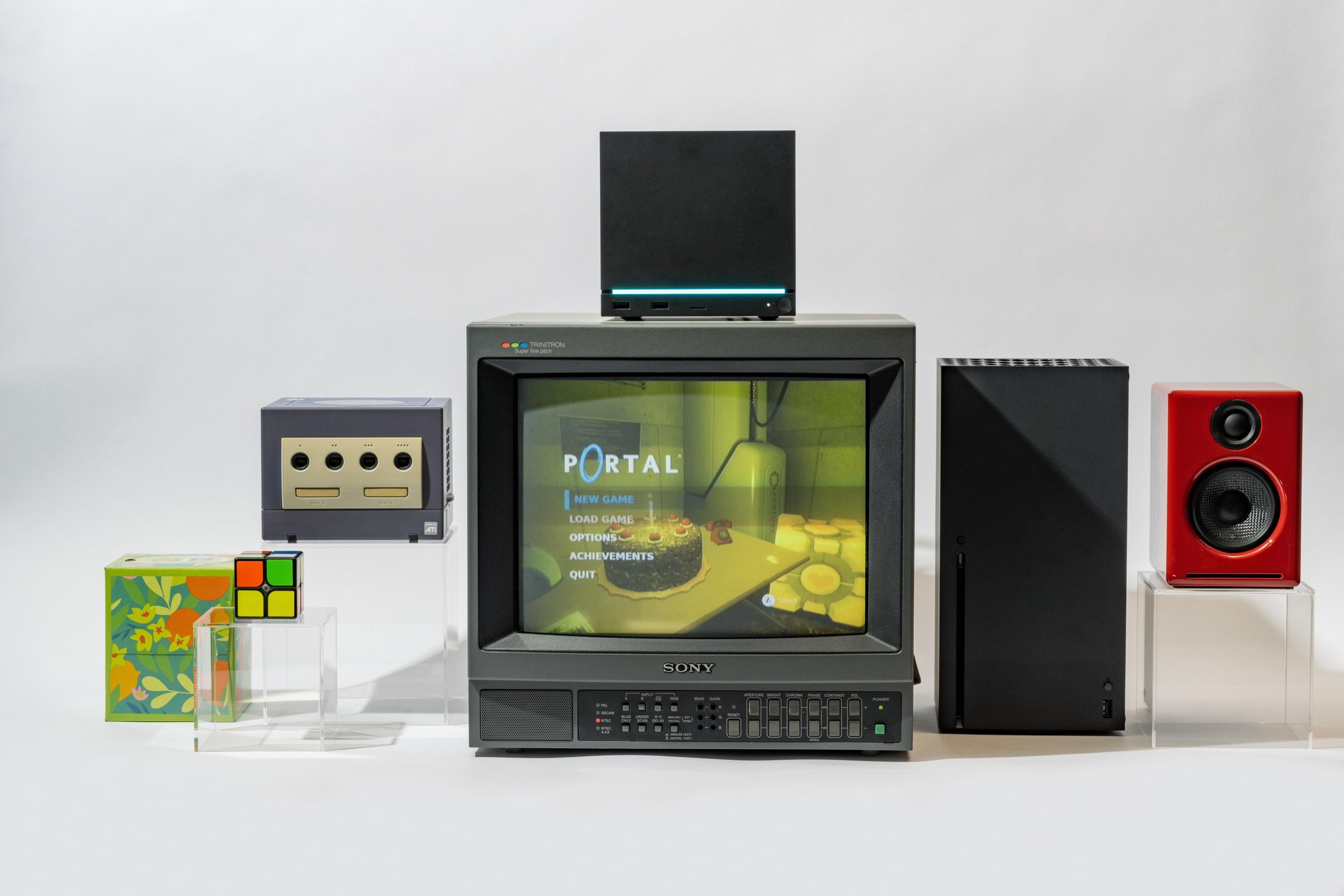
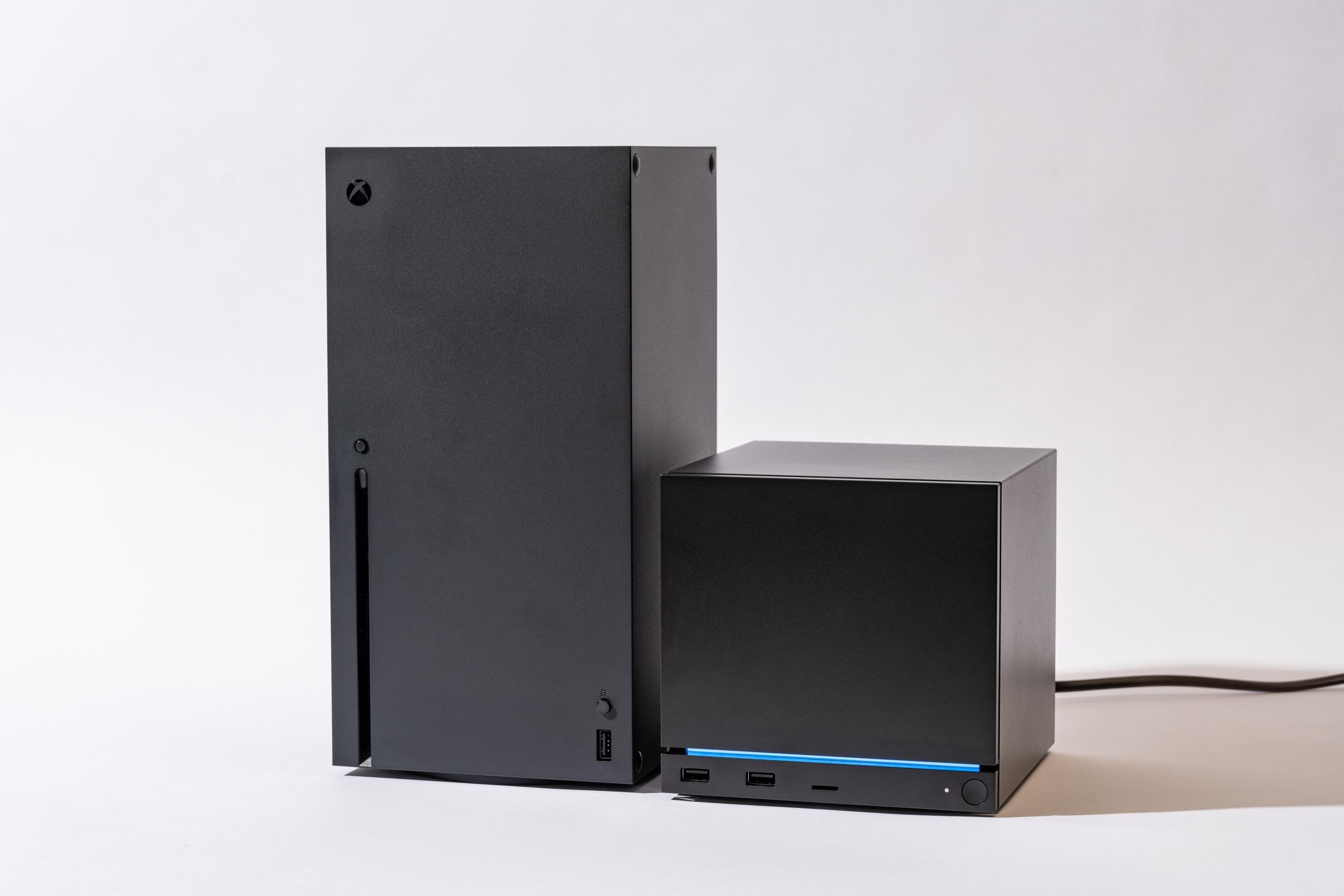
Valve has finally pulled back the curtain on its long-awaited Steam Machine, a compact gaming PC designed to bridge the gap between console convenience and PC gaming flexibility. With a starting price of $1,049 for the 512GB model—and no controller included—this device is positioned as a premium offering for Steam enthusiasts. But is it worth the hype? Let’s break down everything you need to know, from hardware specs to the controversial lottery system, and whether this machine can compete in today’s crowded gaming market.
Steam Machine: Pricing and Storage Options
Valve’s Steam Machine is available in two storage configurations, with optional bundles that include the Steam Controller. Here’s a detailed breakdown of the pricing:
Base Models (No Controller Included)
- 512GB SSD – $1,049
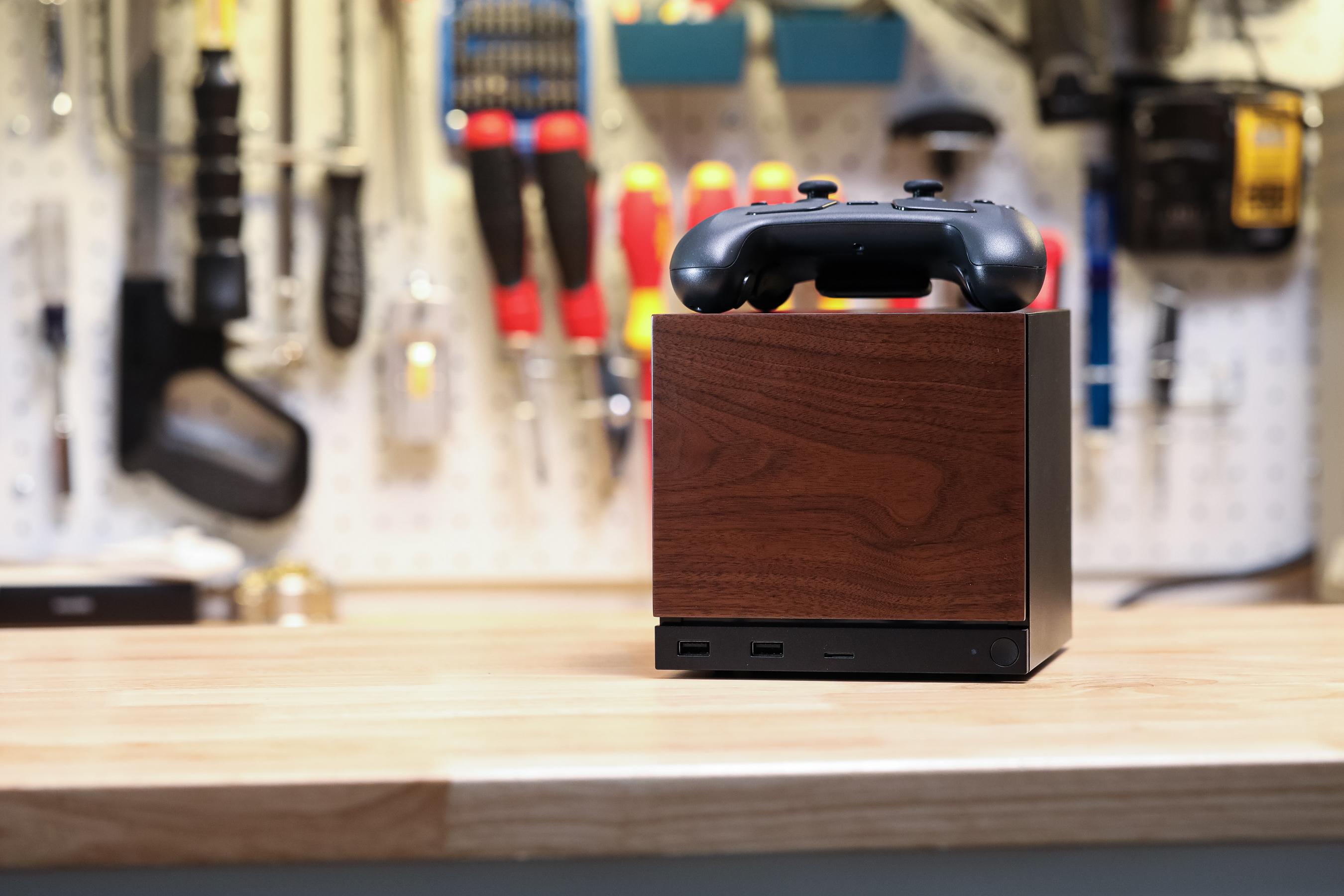
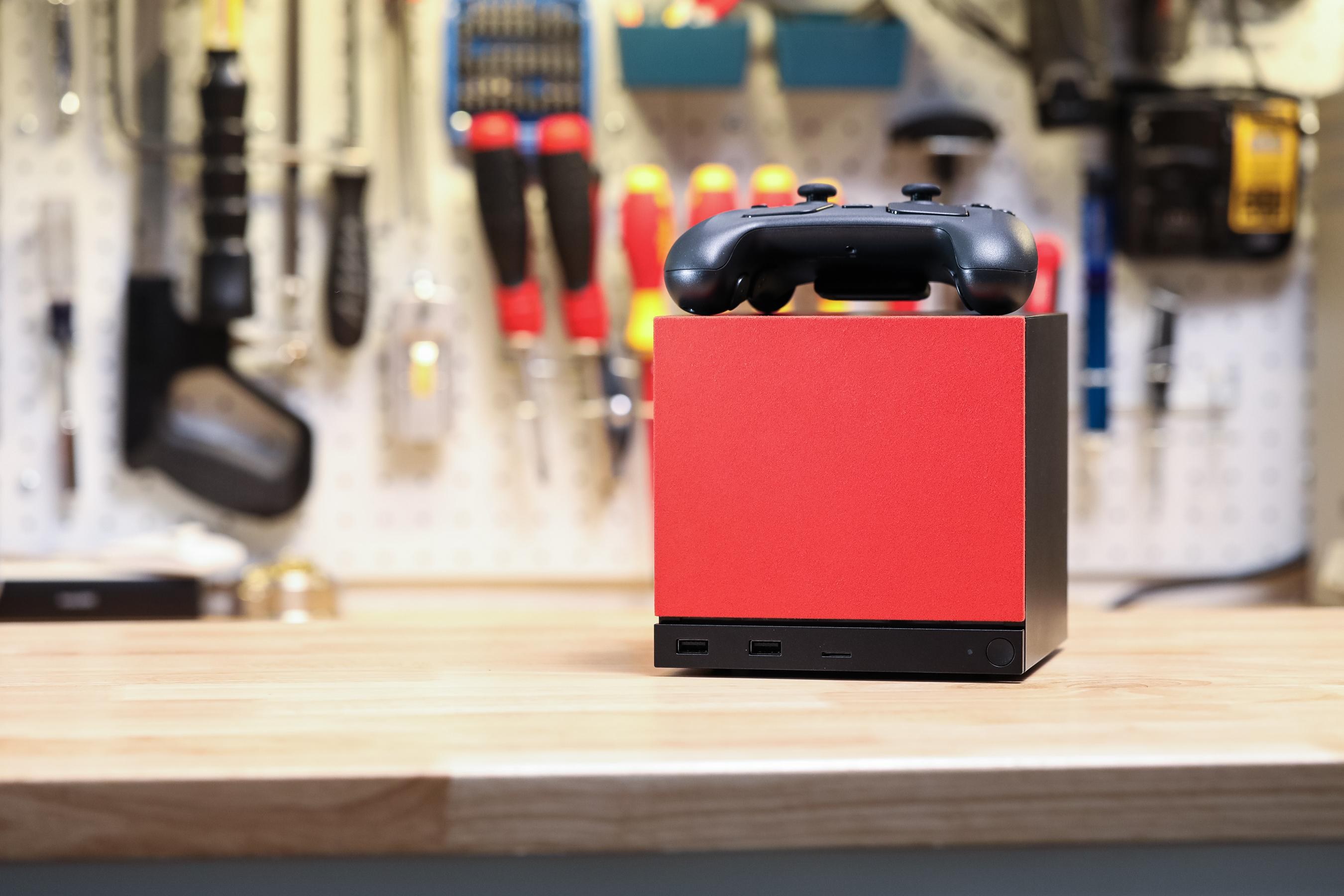
- 2TB SSD – $1,349 (includes red fabric and solid walnut faceplates)
Bundles (Includes Steam Controller)
- 512GB + Controller – $1,128 (effectively a $21 discount on the controller)
- 2TB + Controller – $1,428
Standalone Steam Controller
- $99 (but delivery may be delayed until 2027 due to high demand)
Key Takeaways on Pricing
✅ Expensive for a Mini PC – At $1,049, the Steam Machine is priced higher than many gaming laptops and even some full-sized desktops. ✅ No Controller by Default – Unlike consoles, Valve is selling the controller separately, which adds to the cost. ✅ 2TB Model Has Premium Aesthetics – The higher-end version comes with red fabric and walnut faceplates, making it a more stylish (but pricier) option. ⚠️ Controller Shortages – If you want a controller separately, you might be waiting until 2027, as Valve prioritizes bundles.
Steam Machine Specs: What’s Under the Hood?
Valve has kept the hardware configuration uniform across all models, meaning the only difference is storage capacity. Here’s what you get:
Processor & Graphics
- CPU: Semi-custom AMD Zen 4 (6C/12T)
- GPU: AMD RDNA 3 (28 Compute Units)
- RAM: 16GB DDR5
- VRAM: 8GB GDDR6
Storage & Expandability
- 512GB or 2TB NVMe SSD (user-upgradable)
- MicroSD card slot (for easy game file transfers between Steam Machine and Steam Deck)
Ports & Connectivity
- 2x USB 2.0 ports
- 2x USB 3.2 Gen 1 ports
- 1x USB-C port
- DisplayPort 1.4 (for high-refresh-rate gaming)
- Wi-Fi 6E & Bluetooth 5.3 (for wireless peripherals)
Performance Expectations
Valve has implemented a Steam Deck-like verification system, which means: ✔ Games will be rated on how well they run (e.g., “Great,” “Good,” “Playable”). ✔ No GPU/CPU variations – Unlike traditional PCs, Valve is keeping specs consistent to simplify performance predictions. ✔ AMD RDNA 3 (28 CUs) should handle 1080p-1440p gaming at medium-high settings, similar to a mid-range gaming PC.
How Does It Compare to Competitors?
| Device | CPU | GPU | RAM | Storage | Price |
|---|---|---|---|---|---|
| Steam Machine (512GB) | Zen 4 (6C/12T) | RDNA 3 (28 CUs) | 16GB DDR5 | 512GB | $1,049 |
| Steam Deck OLED (1TB) | Zen 2 (4C/8T) | RDNA 2 (8 CUs) | 16GB LPDDR5 | 1TB | $649 |
| ASUS ROG Ally X | Zen 4 (8C/16T) | RDNA 3 (12 CUs) | 24GB LPDDR5 | 1TB | $799 |
| Lenovo Legion Go | Zen 4 (8C/16T) | RDNA 3 (12 CUs) | 16GB LPDDR5X | 512GB | $699 |
Verdict:
- The Steam Machine is more powerful than the Steam Deck but less powerful than handhelds like the ROG Ally X or Legion Go.
- Pricing is a major hurdle—it’s $250+ more expensive than comparable handhelds while lacking portability.
The Lottery System: How It Works & Why Valve Chose It
Valve is using a lottery-based reservation system to distribute the first batch of Steam Machines. Here’s how it works:
Eligibility Requirements
To enter the lottery, you must: ✅ Have a Steam account in good standing (no bans or restrictions). ✅ Have purchased something on Steam before April 27, 2026 (to prevent scalpers). ✅ Sign up before 1PM ET on June 25, 2026.
How the Lottery Works
- Sign-Up Period (June 22 – June 25, 1PM ET) – Users enter their region and preferred model (512GB or 2TB).
- Randomization (After June 25) – Valve shuffles entries to determine reservation queue and waitlist order.
- Reservation Queue (Starting June 29) – Lucky winners get an email with a purchase link.
- Waitlist – If you don’t get a reservation, you’ll be notified later when more units are available.
Why a Lottery Instead of a First-Come, First-Served Sale?
Valve explained in a blog post:
“A launch that starts at a specific day and time tends to reward bots, people with fast internet connections, talented gaming fingers for quick F5/refresh reactions, and those who can schedule their life around that moment. By accepting reservation signups over the course of a few days, without any incentive to be first, we’re hoping to take away some of that friction.”
Regional Availability
- North America, UK/EU, Australia – Sold directly by Valve.
- Japan, Taiwan, Hong Kong – Sold by Komodo.
- South Korea – Not available at launch.
Will Scalpers Still Get Their Hands on Steam Machines?
Valve is trying to minimize scalping by: ✔ Limiting one entry per household. ✔ Requiring past Steam purchases (to filter out bot accounts). ✔ Using a randomized system (instead of a flash sale).
However, determined scalpers may still find ways to exploit the system.
Steam Machine vs. Steam Deck: Which Should You Buy?
Valve already has the Steam Deck, a handheld gaming PC. So why would anyone buy the Steam Machine? Let’s compare:
| Feature | Steam Machine | Steam Deck OLED (1TB) |
|---|---|---|
| Form Factor | Mini desktop PC | Handheld |
| CPU | Zen 4 (6C/12T) | Zen 2 (4C/8T) |
| GPU | RDNA 3 (28 CUs) | RDNA 2 (8 CUs) |
| RAM | 16GB DDR5 | 16GB LPDDR5 |
| Storage | 512GB/2TB (upgradable) | 1TB (fixed) |
| Display | Requires external monitor | 7.4" OLED (120Hz) |
| Price | $1,049+ | $649 |
| Portability | No | Yes |
| Controller | Sold separately | Built-in |
Who Should Buy the Steam Machine?
✔ PC gamers who want a compact desktop (not a handheld). ✔ Users who need more power than the Steam Deck (for 1440p gaming). ✔ Those who already have a monitor, keyboard, and mouse (since it’s not portable).
Who Should Stick with the Steam Deck?
✔ Gamers who want portability. ✔ Those on a budget (the Steam Deck is $400+ cheaper). ✔ Casual gamers who don’t need high-end specs.
The Steam Controller Situation: Why Is It Sold Separately?
Valve’s Steam Controller is a unique input device designed for mouse-and-keyboard precision in games. However, there are major issues with its availability:
Why Isn’t the Controller Included?
- High demand – Valve is prioritizing bundles to ensure Steam Machine buyers get one.
- Production delays – Standalone controllers may not ship until 2027.
Should You Buy the Bundle?
✅ Yes, if you want the controller – The $21 discount is the only way to get one soon. ❌ No, if you already have a controller – You can use an Xbox, PlayStation, or third-party controller instead.
FAQ: Everything You Need to Know About the Steam Machine
1. Is the Steam Machine a console or a PC?
It’s a mini gaming PC that runs SteamOS (a Linux-based OS optimized for gaming). You can also install Windows if you prefer.
2. Can I upgrade the RAM or GPU?
No. The RAM is soldered, and the GPU is integrated (not a discrete card). The only upgradeable part is storage (via M.2 SSD or microSD).
3. What games will run well on the Steam Machine?
Valve’s verification system will show compatibility ratings:
- “Great” – Runs at 60+ FPS at 1080p (e.g., Elden Ring on medium settings).
- “Good” – Playable but may require lower settings (e.g., Cyberpunk 2077 at 1080p low).
- “Playable” – Runs but may have performance issues (e.g., Star Citizen).
4. Can I use the Steam Machine as a regular PC?
Yes! You can: ✔ Install Windows (if you prefer it over SteamOS). ✔ Use it for productivity tasks (browsing, office work). ✔ Stream games from GeForce Now, Xbox Cloud Gaming, etc.
5. Will the Steam Machine support VR?
Valve has not officially confirmed VR support, but given its RDNA 3 GPU, it should handle Meta Quest 3 or Valve Index at decent settings.
6. Why is the Steam Machine so expensive?
- High-end components (Zen 4, RDNA 3, DDR5).
- Limited production (Valve is not mass-producing it like a console).
- No controller included (unlike consoles).
7. Can I use my Steam Deck games on the Steam Machine?
Yes! Since both devices run SteamOS, your game library is fully compatible. You can even transfer save files via microSD.
8. Is the Steam Machine worth buying?
✅ Yes, if:
- You want a compact, powerful gaming PC.
- You prefer desktop gaming over handheld.
- You’re a Steam loyalist who wants the best integration.
❌ No, if:
- You’re on a budget (the Steam Deck is cheaper).
- You want portability (the Steam Machine is not a handheld).
- You already have a gaming PC (the upgrade may not be worth it).
Final Verdict: Should You Buy the Steam Machine?
Valve’s Steam Machine is an interesting but flawed product. Here’s the good and the bad:
✅ Pros
- Powerful for a mini PC (Zen 4 + RDNA 3).
- Seamless Steam integration (SteamOS, game verification).
- Expandable storage (microSD + M.2 SSD).
- Great for desktop gaming (if you don’t need portability).
❌ Cons
- Very expensive ($1,049+ for a mini PC).
- No controller included (and standalone ones are delayed).
- Not portable (unlike the Steam Deck).
- Lottery system is frustrating (not a guaranteed purchase).
Who Is This For?
- PC gamers who want a compact desktop.
- Steam power users who want the best integration.
- Those who don’t mind paying a premium for Valve’s ecosystem.
Who Should Skip It?
- Budget-conscious gamers (the Steam Deck is cheaper).
- Handheld gamers (the Steam Machine isn’t portable).
- Those who already have a gaming PC (the upgrade may not be worth it).
Conclusion: A Niche Product with Potential
Valve’s Steam Machine is not for everyone—it’s a premium mini PC aimed at Steam enthusiasts who want a console-like experience without sacrificing PC flexibility. However, its high price, lack of a controller, and lottery system make it a hard sell for most gamers.
If you’re deep in the Steam ecosystem and want a powerful, compact gaming PC, the Steam Machine could be worth it. But if you’re looking for affordability or portability, the Steam Deck or a gaming laptop might be a better choice.
Will you be entering the lottery for a Steam Machine? Let us know in the comments! 🎮