


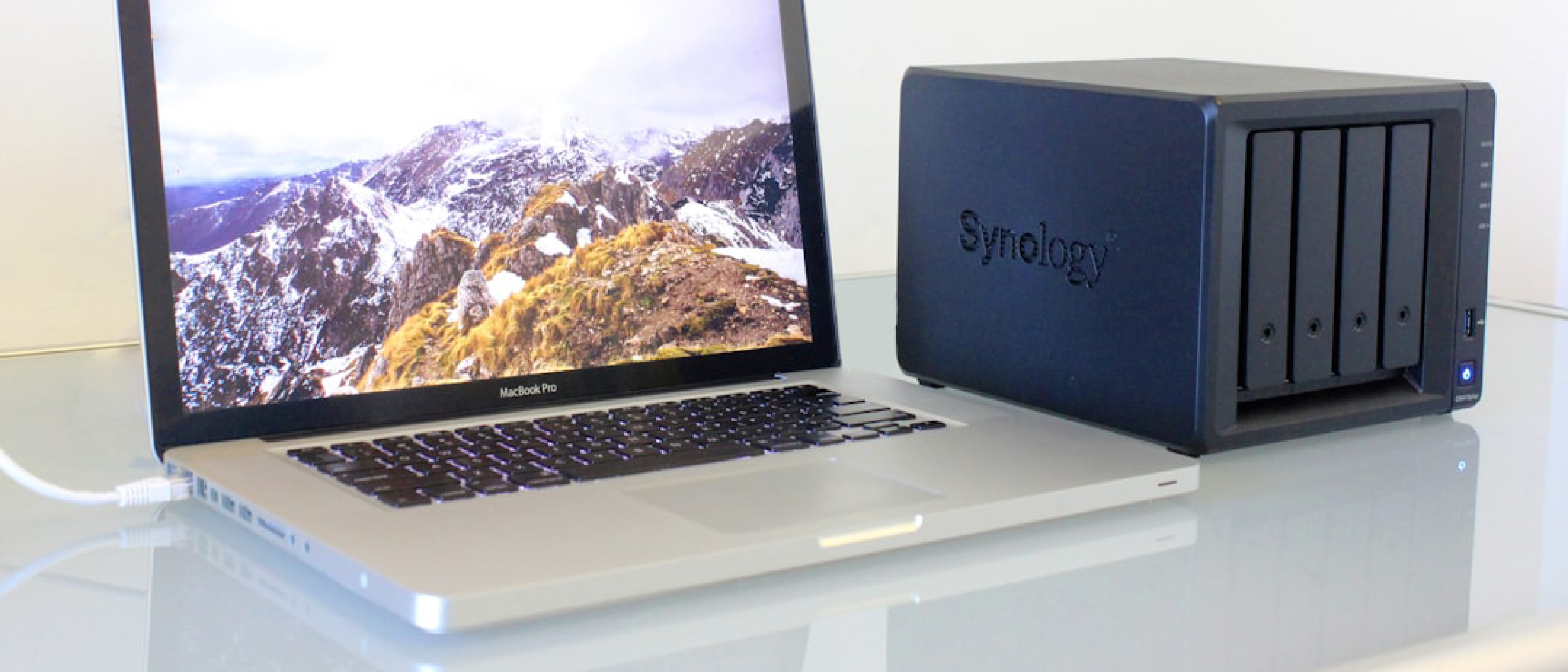
Introduction to NAS Devices
Network-attached storage (NAS) devices have become an essential component of home networks, offering a centralized location for storing, sharing, and accessing files. These versatile servers can boost your home network’s performance, help offload tasks from your computer and other devices, and provide a range of features such as media streaming, backup, and security. In this article, we will delve into the world of NAS devices, exploring their benefits, key features, and top recommendations for home use.
What is a NAS Device?
A NAS device is a dedicated file-level data storage device connected to a network, allowing multiple users to access and share files. It is essentially a private cloud storage system, providing a secure and centralized location for storing and accessing files, videos, music, and other digital content. NAS devices are designed to be compact, energy-efficient, and easy to use, making them an ideal solution for home networks.
Benefits of Using a NAS Device
The benefits of using a NAS device in your home network are numerous:
- Centralized storage: NAS devices provide a centralized location for storing and accessing files, making it easy to share files between devices.
- Backup and recovery: NAS devices can be used to create backups of your important files, providing a secure and reliable way to recover your data in case of a disaster.
- Media streaming: Many NAS devices come with built-in media streaming capabilities, allowing you to stream music, videos, and photos to your devices.
- Security: NAS devices can be used to store and manage security cameras, providing a secure and centralized location for monitoring your home.
- Energy efficiency: NAS devices are designed to be energy-efficient, using less power than traditional file servers.
Top NAS Devices for Home Use
After months of testing and review, we have identified the top NAS devices for home use. Our top recommendations include:
- Synology DiskStation DS220+: This two-bay NAS device is ideal for the average home, offering fast performance, a generous array of ports, and a user-friendly interface.
- Synology Bee Station Plus: This all-in-one NAS device comes with storage included, making it easy to set up and use. It is ideal for simple network backup and media streaming.
Synology DiskStation DS220+
The Synology DiskStation DS220+ is a powerful and feature-rich NAS device that is ideal for home use. Its key features include:
- Fast performance: The DS220+ offers fast read and write speeds, making it ideal for demanding applications such as video streaming and backup.
- Generous array of ports: The DS220+ comes with a range of ports, including 2.5-Gbps and 1-Gbps Ethernet ports and USB ports, making it easy to connect devices.
- User-friendly interface: The DS220+ comes with a user-friendly interface, making it easy to set up and manage your NAS device.
- Expandable storage: The DS220+ supports up to 40 TB of storage, making it ideal for large collections of files and media.
Synology Bee Station Plus
The Synology Bee Station Plus is an all-in-one NAS device that comes with storage included, making it easy to set up and use. Its key features include:
- Simple setup: The Bee Station Plus is easy to set up and use, making it ideal for those who are new to NAS devices.
- Automatic backup: The Bee Station Plus comes with automatic backup capabilities, making it easy to protect your files.
- Media streaming: The Bee Station Plus supports media streaming, making it easy to stream music, videos, and photos to your devices.
Key Features to Consider When Choosing a NAS Device
When choosing a NAS device for your home network, there are several key features to consider:
- Storage capacity: Consider the amount of storage you need, taking into account the number of devices and files you plan to store.
- Performance: Consider the performance of the NAS device, including read and write speeds, to ensure it can handle demanding applications.
- Ports and connectivity: Consider the range of ports and connectivity options, including Ethernet and USB ports, to ensure you can connect all your devices.
- User interface: Consider the user interface, including the web interface and mobile apps, to ensure it is easy to use and manage your NAS device.
- Security: Consider the security features, including encryption and access controls, to ensure your files are protected.
Storage Capacity
The storage capacity of a NAS device is an essential consideration, as it will determine how many files and devices you can store. Consider the following factors when choosing a NAS device:
- Number of devices: Consider the number of devices you plan to connect to your NAS device, including computers, smartphones, and tablets.
- File size: Consider the size of your files, including videos, music, and photos, to ensure you have enough storage capacity.
- Future expansion: Consider the potential for future expansion, including the ability to add more storage capacity as needed.
Performance
The performance of a NAS device is critical, as it will determine how quickly you can access and transfer files. Consider the following factors when choosing a NAS device:
- Read and write speeds: Consider the read and write speeds of the NAS device, including the speed of the processor and memory.
- Network connectivity: Consider the network connectivity options, including Ethernet and Wi-Fi, to ensure you can connect your devices quickly and reliably.
Setting Up and Managing Your NAS Device
Setting up and managing your NAS device is relatively straightforward, but there are several steps to follow:
- Initial setup: Follow the manufacturer’s instructions to set up your NAS device, including connecting it to your network and configuring the user interface.
- Configuring storage: Configure your storage settings, including setting up folders and shares, to ensure your files are organized and accessible.
- Configuring security: Configure your security settings, including encryption and access controls, to ensure your files are protected.
Initial Setup
The initial setup of your NAS device will vary depending on the manufacturer and model, but the following steps are typical:
- Connect to your network: Connect your NAS device to your network using an Ethernet cable or Wi-Fi.
- Power on: Power on your NAS device and follow the manufacturer’s instructions to complete the initial setup.
- Configure the user interface: Configure the user interface, including setting up user accounts and passwords, to ensure you can access and manage your NAS device.
Configuring Storage
Configuring your storage settings is essential to ensure your files are organized and accessible. The following steps are typical:
- Set up folders and shares: Set up folders and shares to organize your files and ensure they are accessible to the right devices and users.
- Configure storage quotas: Configure storage quotas to ensure you have enough storage capacity and to prevent individual users or devices from using too much storage.
- Configure backup settings: Configure backup settings to ensure your files are protected in case of a disaster.
Troubleshooting Common Issues with NAS Devices
Despite their reliability, NAS devices can experience issues, including:
- Connectivity issues: Connectivity issues, including dropped connections and slow transfer speeds, can be frustrating and impact your productivity.
- Storage issues: Storage issues, including running out of storage capacity and corrupted files, can be critical and require immediate attention.
- Security issues: Security issues, including unauthorized access and data breaches, can be catastrophic and require prompt action.
Connectivity Issues
Connectivity issues can be caused by a range of factors, including:
- Network congestion: Network congestion can cause dropped connections and slow transfer speeds.
- Incorrect settings: Incorrect settings, including IP addresses and subnet masks, can cause connectivity issues.
- Hardware issues: Hardware issues, including faulty Ethernet cables and Wi-Fi adapters, can cause connectivity issues.
Storage Issues
Storage issues can be caused by a range of factors, including:
- Running out of storage capacity: Running out of storage capacity can cause issues, including slow performance and corrupted files.
- Corrupted files: Corrupted files can cause issues, including data loss and system crashes.
- Hardware issues: Hardware issues, including faulty hard drives and solid-state drives, can cause storage issues.
FAQ
Here are some frequently asked questions about NAS devices:
- What is a NAS device?: A NAS device is a dedicated file-level data storage device connected to a network, allowing multiple users to access and share files.
- What are the benefits of using a NAS device?: The benefits of using a NAS device include centralized storage, backup and recovery, media streaming, security, and energy efficiency.
- How do I set up my NAS device?: Setting up your NAS device will vary depending on the manufacturer and model, but the typical steps include connecting to your network, powering on, and configuring the user interface.
- What are the key features to consider when choosing a NAS device?: The key features to consider when choosing a NAS device include storage capacity, performance, ports and connectivity, user interface, and security.
- How do I troubleshoot common issues with my NAS device?: Troubleshooting common issues with your NAS device will vary depending on the issue, but the typical steps include identifying the cause, checking the settings, and contacting the manufacturer’s support team.
Conclusion
In conclusion, NAS devices are a critical component of home networks, offering a centralized location for storing, sharing, and accessing files. When choosing a NAS device, consider the key features, including storage capacity, performance, ports and connectivity, user interface, and security. By following the setup and management steps and troubleshooting common issues, you can ensure your NAS device is running smoothly and efficiently, providing you with a reliable and secure way to store and access your files.