



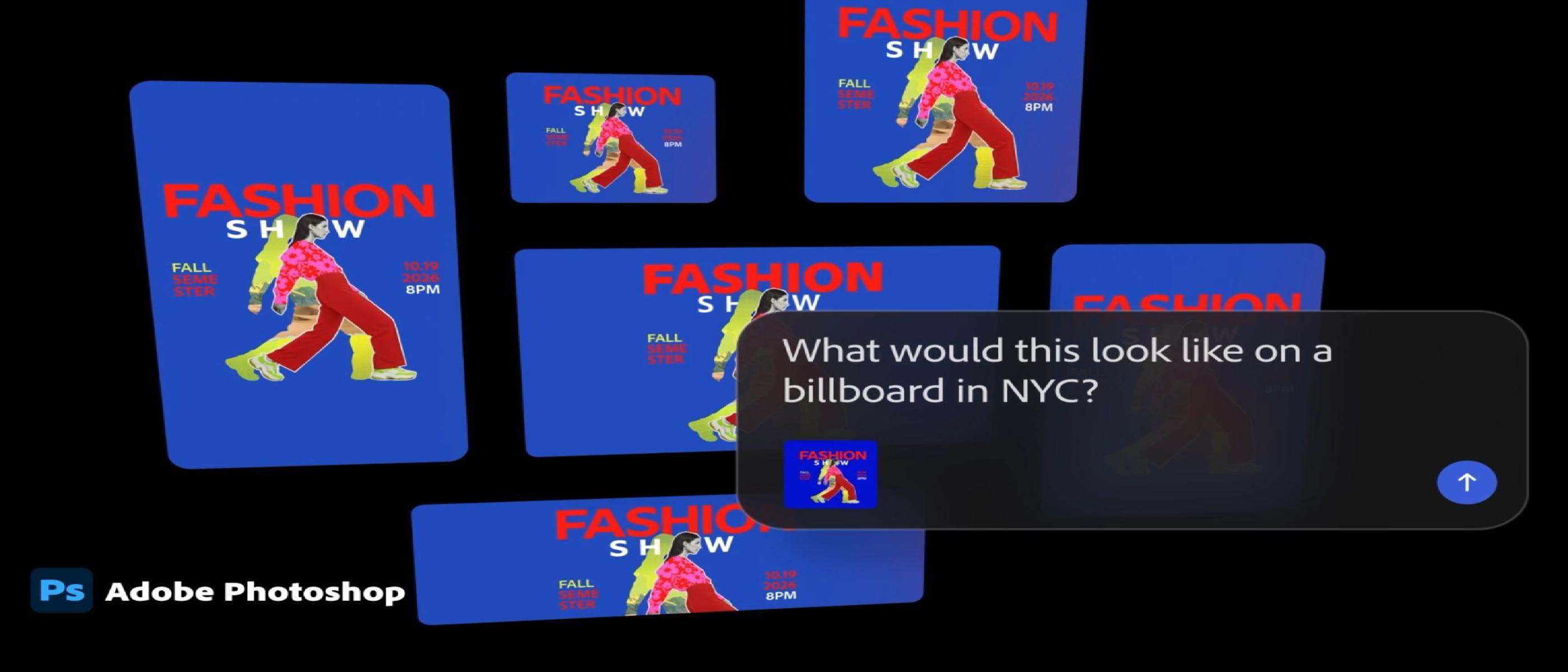
Adobe’s plan to integrate its AI-powered chatbots into all its Creative Cloud suite applications has finally come to fruition. The tech giant has officially launched a public beta for its AI Assistants, giving users access to AI-powered chatbots in Photoshop, Premiere, Illustrator, InDesign, and Frame.io. This move aims to revolutionize the way designers and editors work, making tasks easier, faster, and more efficient.
What are AI Assistants in Adobe Creative Cloud?
Adobe’s AI Assistants are bespoke chatbots designed to aid users in their creative workflows. These AI-powered tools can perform a wide range of tasks, from automating repetitive tasks to offering expert-level advice and guidance. With the AI Assistants, users can now focus on the creative aspects of their work, leaving the mundane tasks to the AI.
Benefits of AI Assistants in Creative Cloud
The introduction of AI Assistants in Creative Cloud brings numerous benefits to users. Some of the most notable advantages include:
- Increased productivity: AI Assistants can automate repetitive tasks, freeing up users to focus on more complex and creative tasks.
- Improved accuracy: AI Assistants can detect and correct errors, ensuring that users’ work is accurate and of high quality.
- Enhanced creativity: AI Assistants can offer expert-level advice and guidance, helping users to explore new ideas and techniques.
- Simplified workflows: AI Assistants can streamline workflows, making it easier for users to manage their projects and meet deadlines.
How to Access AI Assistants in Creative Cloud
Accessing AI Assistants in Creative Cloud is a straightforward process. Users can follow these steps:
- Update their Creative Cloud applications: Ensure that all Creative Cloud applications are updated to the latest version.
- Launch the AI Assistant: Launch the AI Assistant within each application, such as Photoshop or Premiere.
- Start interacting with the AI: Begin interacting with the AI Assistant, asking questions or requesting tasks to be performed.
Supported Applications
The following Creative Cloud applications now feature AI Assistants:
- Photoshop: AI Assistant for Photoshop can perform tasks such as image retouching, color correction, and content-aware fill.
- Premiere: AI Assistant for Premiere can assist with video editing tasks such as color grading, audio ducking, and automatic audio ducking.
- Illustrator: AI Assistant for Illustrator can help with tasks such as vector graphics creation, typography, and color management.
- InDesign: AI Assistant for InDesign can assist with tasks such as page layout, typography, and color management.
- Frame.io: AI Assistant for Frame.io can help with tasks such as video review, approval, and collaboration.
FAQ
Q: What is the purpose of AI Assistants in Creative Cloud? A: The purpose of AI Assistants in Creative Cloud is to aid users in their creative workflows, automating repetitive tasks, offering expert-level advice and guidance, and improving productivity.
Q: Which Creative Cloud applications feature AI Assistants? A: Photoshop, Premiere, Illustrator, InDesign, and Frame.io now feature AI Assistants.
Q: How do I access AI Assistants in Creative Cloud? A: Users can access AI Assistants by updating their Creative Cloud applications, launching the AI Assistant within each application, and starting to interact with the AI.
Q: Are AI Assistants available for public beta? A: Yes, AI Assistants are now available for public beta, giving users access to these AI-powered tools.
By integrating AI Assistants into its Creative Cloud suite, Adobe is revolutionizing the way designers and editors work. With AI Assistants, users can now focus on the creative aspects of their work, leaving the mundane tasks to the AI. This move is set to transform the creative industry, making tasks easier, faster, and more efficient.