


Introduction to iOS 27
The latest iteration of Apple’s operating system, iOS 27, has been unveiled, and it’s packed with exciting new features that are set to revolutionize the way you use your iPhone. From smarter bill splitting to improved Apple Maps, the new updates are designed to make your life easier, more convenient, and more enjoyable. In this article, we’ll delve into the details of each new feature and explore how they’ll enhance your iPhone experience.
Apple Maps Improvements
One of the most significant updates in iOS 27 is the improvement to Apple Maps. The company has refreshed its “Flyover” feature, which provides immersive 3D views of cities and landmarks, with more detailed visuals and smoother navigation. This means that you’ll be able to explore your surroundings in a more realistic and engaging way, making it easier to get around and discover new places.
- New “Flyover” feature with more detailed visuals and smoother navigation
- Improved Apple Maps features for easier navigation and discovery
- Enhanced user experience with more intuitive interface
Local Lists: A New Way to Discover
Another exciting feature in iOS 27 is “Local Lists,” a new way for users to discover and save recommendations for restaurants, attractions, and other spots within Maps. This feature allows you to see what’s trending in your area, making it easier to find new places to visit and things to do. With Local Lists, you’ll be able to:
- Discover new places and attractions in your area
- Save recommendations for later use
- See what’s trending in your area
Find My: More Flexible Location Sharing
The Find My app has also been updated with new location-sharing controls, making it easier to share your location with others. Beginning this fall, users will be able to share their location for a custom amount of time, whether that’s a few minutes, several hours, multiple days, or until a specific date and time. This means that you’ll have more control over who can see your location and for how long.
- Share location for a custom amount of time
- Temporarily pause location sharing with individual contacts
- More flexible location-sharing controls for enhanced privacy and security
Apple Wallet: Smarter Bill Splitting and More
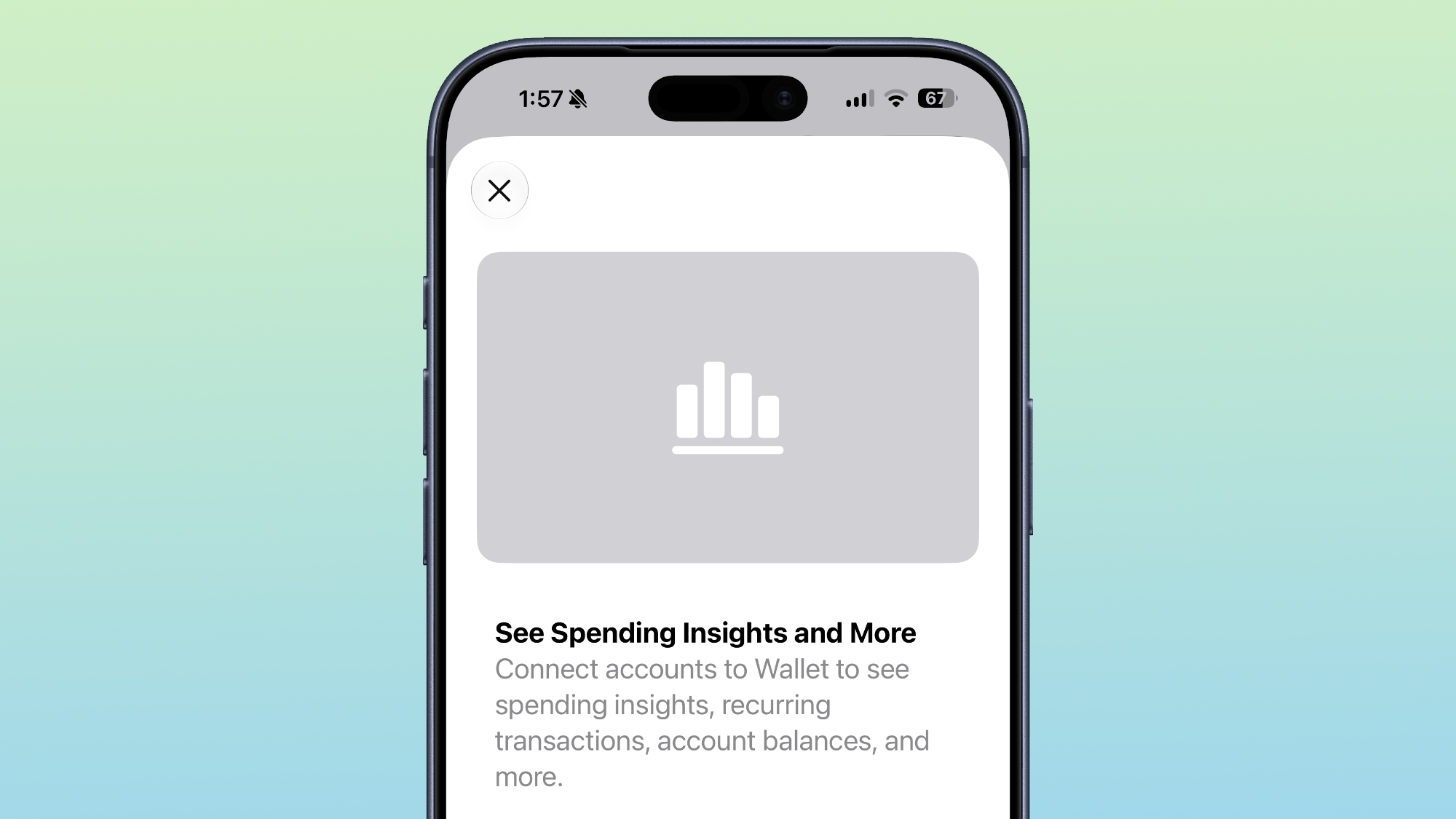
Apple Wallet has received a significant boost in iOS 27, with the introduction of smarter bill splitting and other new features. One of the standout additions is the ability to scan receipts using your iPhone camera and automatically split bills with friends using Apple Cash. Powered by Apple Intelligence, this feature can identify individual items on a receipt, calculate each person’s share of taxes and tips, and facilitate repayment directly through Messages or Wallet.
- Scan receipts using iPhone camera and automatically split bills with friends
- Identify individual items on a receipt and calculate each person’s share of taxes and tips
- Facilitate repayment directly through Messages or Wallet
Digitizing Physical Membership and Loyalty Cards
Apple Wallet is also gaining support for digitizing physical membership and loyalty cards. Users can simply point their iPhone camera at a barcode or scan a digital card to save it directly into Wallet. This means that you’ll be able to access your membership and loyalty cards more easily and conveniently, without having to carry around physical cards.
- Digitize physical membership and loyalty cards
- Access cards more easily and conveniently
- Support for Apple Watch, allowing passes to be pinned to the Smart Stack for faster retrieval
Revamped Hotel Key Experience
Travelers will benefit from a revamped hotel key experience in iOS 27. In addition to unlocking rooms and amenities with an iPhone or Apple Watch, guests staying at participating hotels and resorts will be able to access trip details, activity schedules, service information, and real-time updates directly within Wallet. This means that you’ll be able to access all the information you need for your trip in one convenient place.
- Access trip details, activity schedules, service information, and real-time updates directly within Wallet
- Unlock rooms and amenities with iPhone or Apple Watch
- More convenient and streamlined hotel experience
Redesigned Checkout Experience
Apple Pay is receiving a redesigned checkout experience online and in apps, making it easier to use and more convenient. Users will be able to swipe between payment cards more easily while viewing information such as rewards balances, debit account balances, and available pay-later options. Later this year, Apple says users will also be able to add funds directly to eligible debit cards through Wallet or during Apple Pay checkout.
- Redesigned checkout experience online and in apps
- Swipe between payment cards more easily
- View information such as rewards balances, debit account balances, and available pay-later options
Tap to Share: A New Feature for Merchants
For merchants, Apple is expanding “Tap to Pay” on iPhone with a new feature called “Tap to Share.” Customers can connect directly with participating merchants using a simple tap to securely share information such as loyalty accounts, shipping addresses, and contact details. This means that merchants will be able to provide a more personalized and convenient experience for their customers.
- Tap to Share: a new feature for merchants to connect with customers
- Securely share information such as loyalty accounts, shipping addresses, and contact details
- More personalized and convenient experience for customers
Apple Music: Expanded Lyrics Translation
Apple Music is expanding its “Lyrics Translation” feature to support seven additional language pairings, including English translations for songs in French, German, Italian, Korean, Spanish, and Japanese. This means that users will be able to enjoy their favorite songs in more languages, making the Apple Music experience more accessible and enjoyable for a wider range of users.
- Expanded “Lyrics Translation” feature to support seven additional language pairings
- English translations for songs in French, German, Italian, Korean, Spanish, and Japanese
- More accessible and enjoyable experience for users
Lyrics Pronunciation: A New Feature for Singing Along
“Lyrics Pronunciation” is a new feature in iOS 27 that will help users sing along to songs in languages they may not speak. The feature displays phonetically translated lyrics across five new language pairings, making it easier for users to sing along to their favorite songs. This means that users will be able to enjoy singing along to songs in more languages, without having to worry about pronunciation.
- “Lyrics Pronunciation” feature to help users sing along to songs in languages they may not speak
- Displays phonetically translated lyrics across five new language pairings
- More enjoyable experience for users who love singing along to songs
Conclusion
iOS 27 is a significant update that brings many exciting new features to the iPhone. From smarter bill splitting to improved Apple Maps, the new updates are designed to make your life easier, more convenient, and more enjoyable. With its redesigned checkout experience, expanded lyrics translation, and new features for merchants, iOS 27 is set to revolutionize the way you use your iPhone.
FAQ
Here are some frequently asked questions about iOS 27:
- Q: What are the new features in iOS 27? A: The new features in iOS 27 include smarter bill splitting, improved Apple Maps, Local Lists, more flexible location sharing, and a revamped hotel key experience, among others.
- Q: How do I use the new “Flyover” feature in Apple Maps? A: To use the new “Flyover” feature in Apple Maps, simply open the Maps app and select the “Flyover” option. You’ll be able to explore cities and landmarks in a more immersive and realistic way.
- Q: Can I share my location with others in iOS 27? A: Yes, you can share your location with others in iOS 27. The Find My app has been updated with new location-sharing controls, making it easier to share your location with others.
- Q: How do I use Apple Wallet to split bills with friends? A: To use Apple Wallet to split bills with friends, simply scan the receipt using your iPhone camera and select the “Split Bill” option. Apple Wallet will automatically calculate each person’s share of the bill and facilitate repayment through Messages or Wallet.
- Q: Is iOS 27 available for all iPhone models? A: iOS 27 is available for all iPhone models that support iOS 14 or later. However, some features may not be available on older models.